
Enterprise automation · UX leadership · 2021 - 2022
Making Skael’s automations easier to understand and troubleshoot
As Head of UX, I redesigned status, onboarding, and troubleshooting across three automation products. I also hired designers and established shared patterns and critique practices for the team.
NPS improved across all three products during the work.
Skael · Head of UX
Role
Head of UX
Team
Designers working with product, engineering, founders, and customers
Scope
Three products, workflow states, troubleshooting, onboarding, and the UX team
Duration
Head of UX role · 2021 - 2022
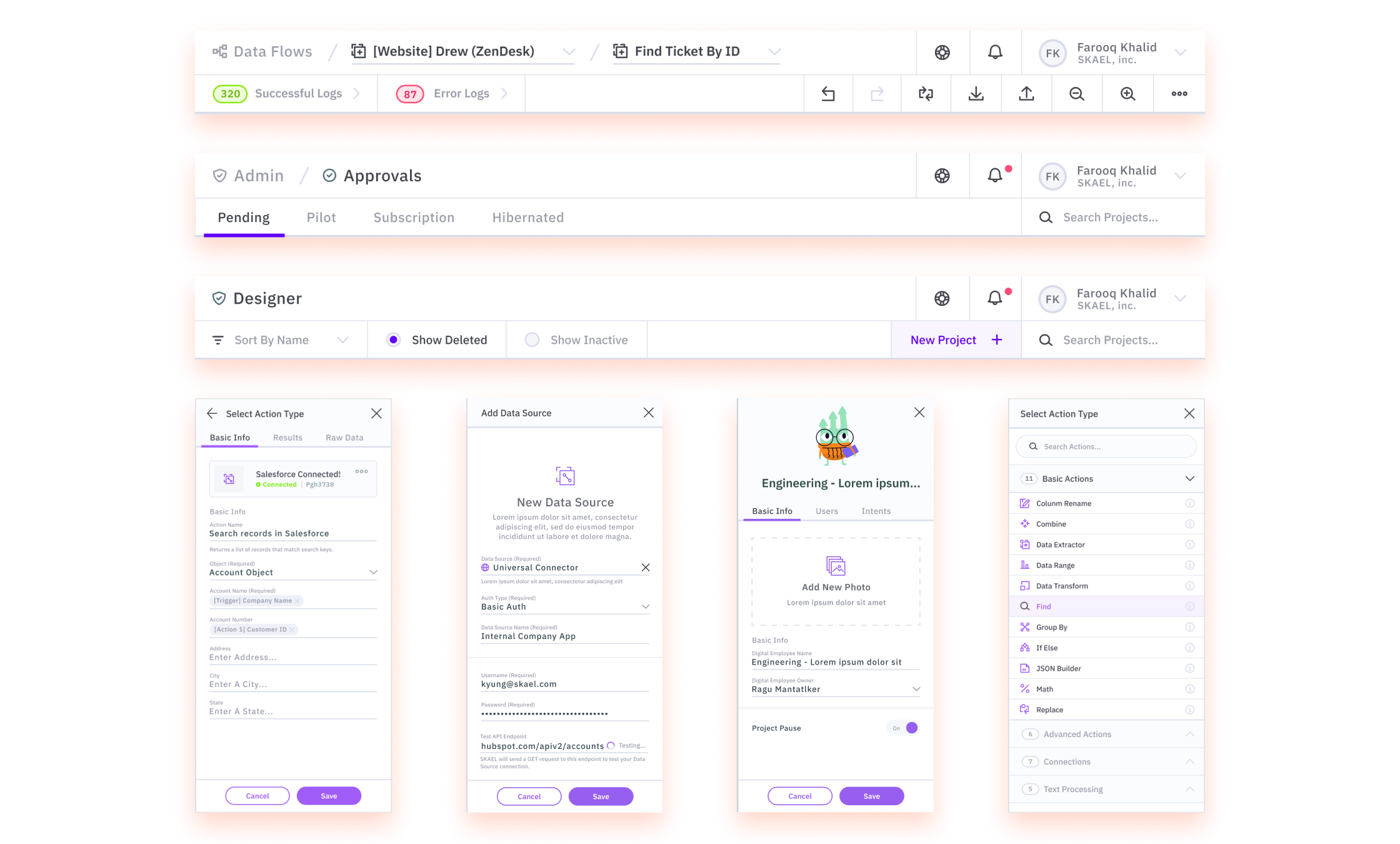
Context
When an automation failed
Customers could not always tell whether an automation was running, finished, or had failed. When something went wrong, the product gave them little help finding the cause or recovering. Controls and behavior also varied across the three products.
My role
I was responsible for the shared experience across three products and for building the UX team. Alongside the redesign, I set hiring standards, led critique, and worked with product and engineering on prototypes and release priorities.
What customers needed to troubleshoot
I spoke with the people running automations and the executives buying the platform. Troubleshooting stood out: users needed readable logs, errors that explained what had happened, and a next step they could take.
Design
Design decisions
01
Showing what an automation was doing
I defined shared loading, empty, running, success, warning, and failure states. Customers needed to be able to distinguish a slow workflow from a failed one.
Using the same states across products also gave the team a consistent starting point when designing new workflows.
02
Helping customers diagnose a failed run
I added searchable logs, clearer error messages, and recovery steps inside the workflow. Users could inspect timing, inputs, and outputs to find the step that failed.
The interface needed enough detail to support troubleshooting while remaining usable for customers who were not engineers.
03
Building a team that could support three products
I hired designers and introduced shared patterns, weekly critique, and a prototyping process with product and engineering. We could review work together and reuse solutions to common interaction problems.
That work ran alongside the product redesign, so the team could apply and refine the patterns in active projects.
A closer look
Product screens
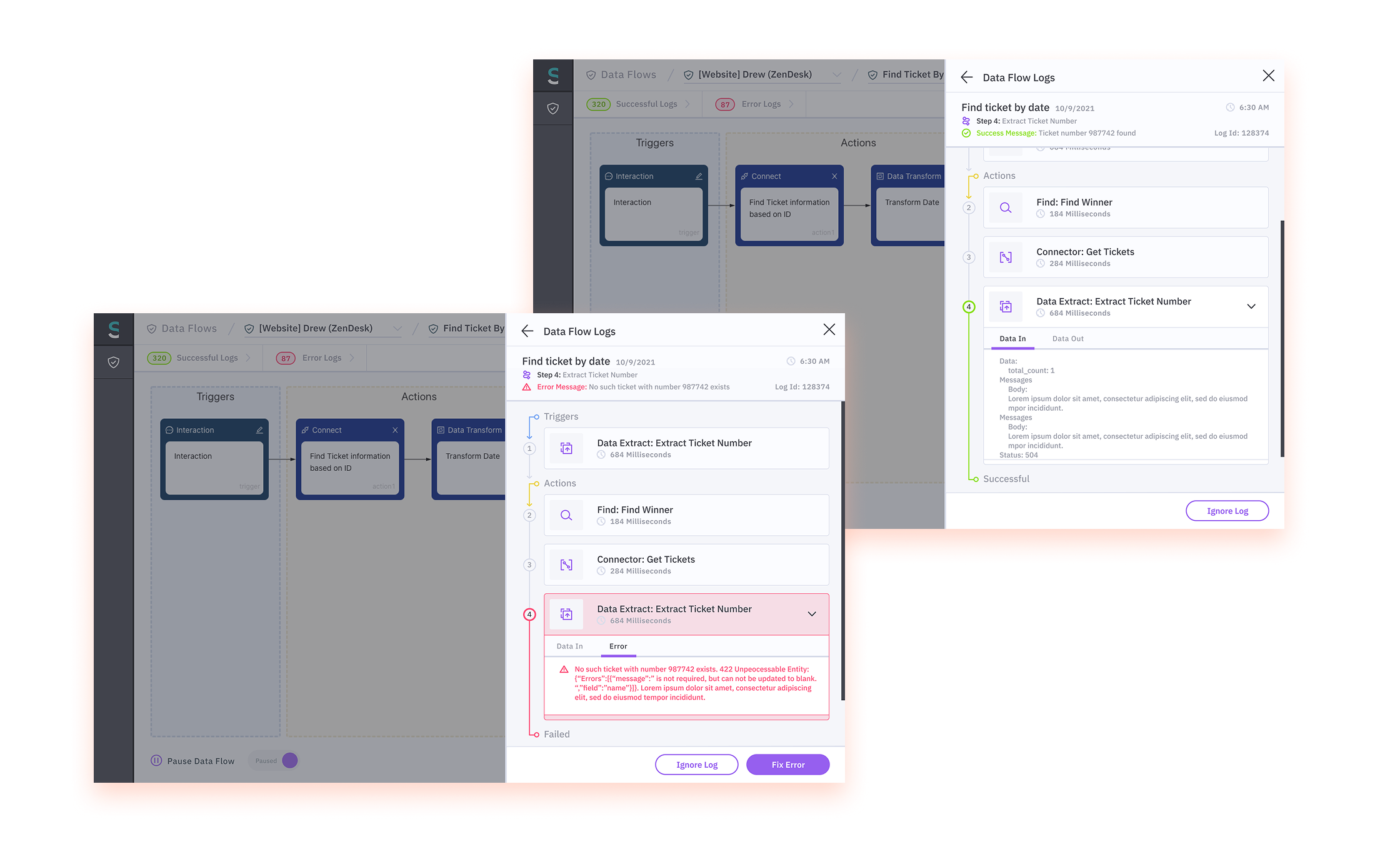
Logs show successful and failed runs with timing, inputs, outputs, and details of the step that failed.
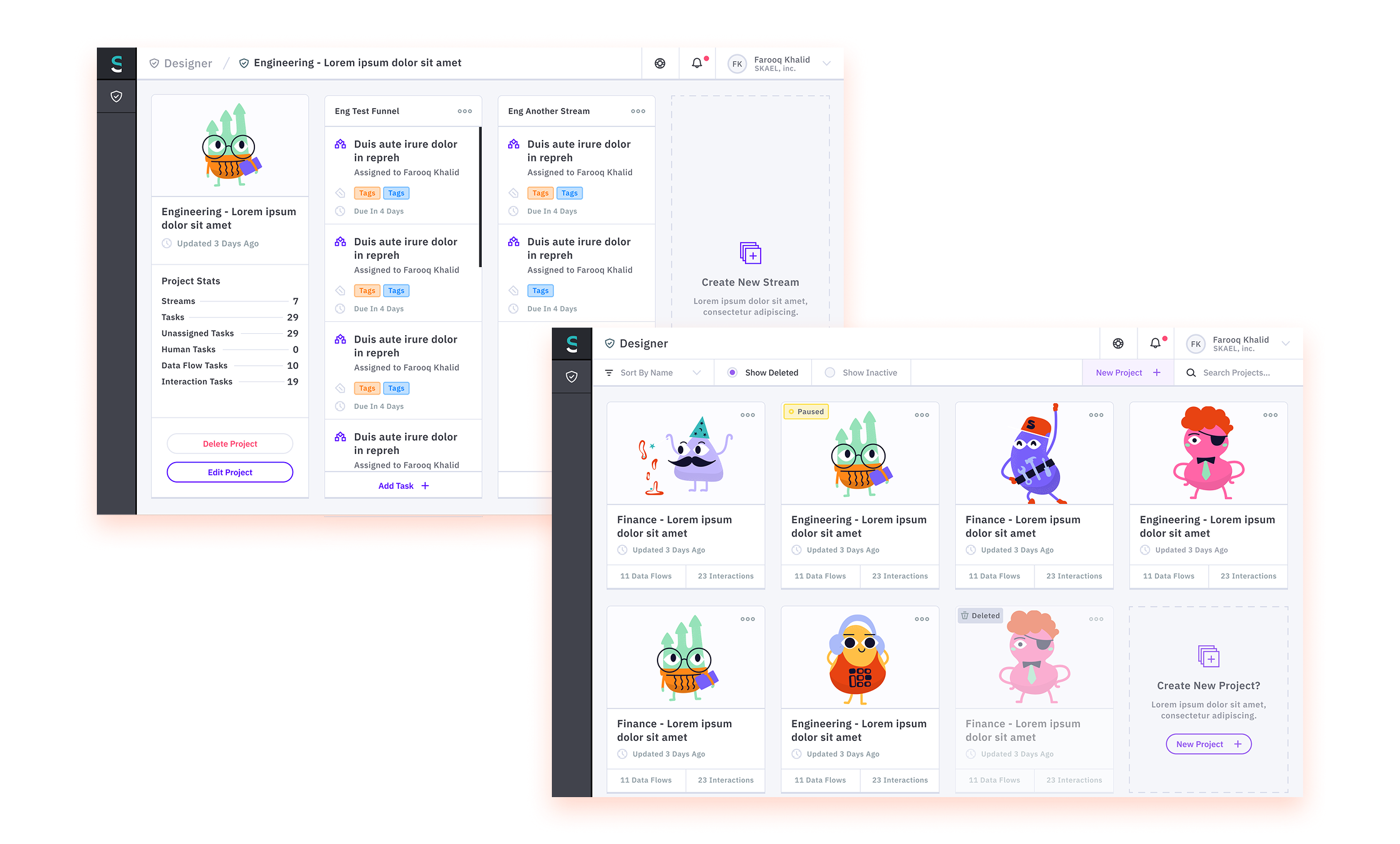
Project and stream views bring ownership, status, workload, and automation activity together.
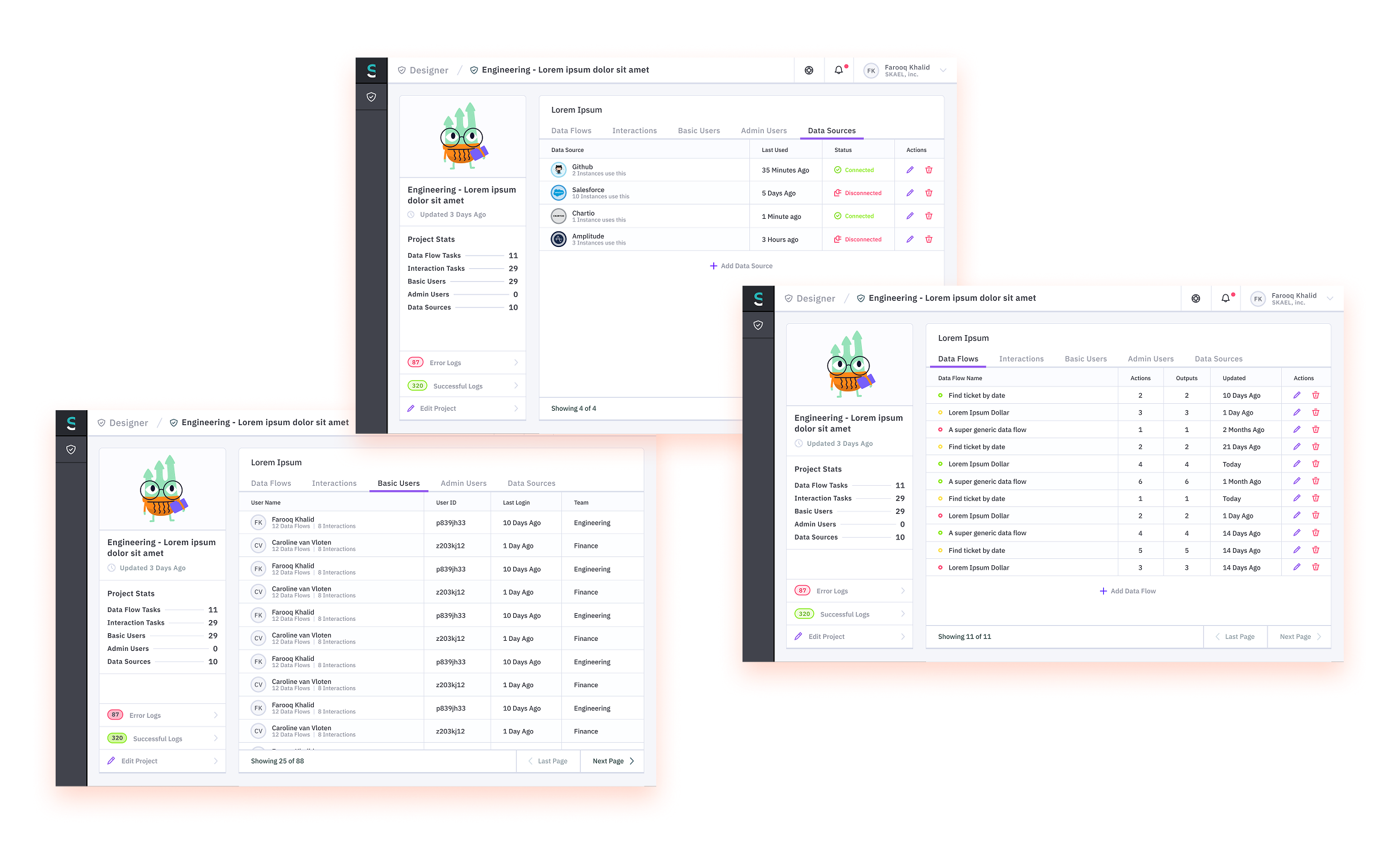
The project workspace groups data flows, interactions, users, and data sources with information about system health.
Product flow
Following an automation from setup to recovery
The workflow connects configuration, run status, logs, and recovery steps so customers can follow what happened when an automation fails.
Results
What changed
Products with higher NPS
NPS improved across all three products during the redesign.
A UX team
I hired designers and established shared patterns, critique, and design standards.
Troubleshooting tools
Searchable logs and clearer recovery steps gave customers more help when an automation failed.
About these results
NPS improvements are reported without exact baselines or sample sizes. Customer and internal team details are summarized.